Sunday, June 08, 2008

Match Point


After winning the grueling second set 7-5, I was wiping my and plotting my next move to defeat my opponent in straight sets, a burst of cool breeze swept across the Tennis court providing much needed relief from burning Sun. After having a definitive plan I stepped into the court and turned to the ball boys to collect couple of balls to serve. I thought of starting this set with a Ace, after a brief analysis of the line of serve I got ready and suddenly I heard a cat meow. Surprised I turned around and saw a white cat walking at the sidelines approaching towards me. I tried to scare it away but it kept its path unhindered, and couple of seconds later the cat jumped on me. With a sudden shock I woke up and sat on my bed sweating under the effect of AC! I looked around to calm myself and found myself staring at the same cat standing outside the balcony door. Probably this time the cat got scared seeing my petrified state and ran away. It was my neighbour's cat that had sneaked onto my balcony. I quietly tip-toed to the balcony door made sure that the door was properly locked, drank some water and returned to bed. Then something shiny caught my eyes, it was my new Tennis racquet which I bought earlier in the day, shining under the influence of the Moon light pouring in from the glass door. I laid on bed thinking about my first attempt at playing Tennis.


The new apartment that I moved in recently has Tennis courts, so me and my friend decided to get a Tennis racquet for me, so that we both can play tennis during the weekends. We planned a visit to Wal Mart to buy one. After searching through the all the available options we narrowed down to Prince Rage Racquet. It was designed for beginners like me. So we decided to go with this. We also bought Willson tennis balls, well this is not the "Willson" that accompanied Tom Hanks
in Cast Away, but from the same manufacturer. The first thing after returning from Wal Mart was to run and catch a free tennis court! Both of us rushed to our room, changed and
ran to the Tennis court. Now armed with a newly purchased racquet and tennis ball I was ready to serve. Like the pros shown on TV, I swirled the racquet, bounced the ball twice on the ground, adjusted the my T-Shirt... and threw the ball in the
air and Bang! I smashed the ball to complete my first ever Serve in Tennis. Well till I threw the ball in the air everything looked like a total pro, but the only difference came after I hit the ball, instead of serving it to my friend I
served it to the guy in the adjacent court! That guy was confused about which ball to hit and all he could manage was a shocked look on his face and to dodge both the balls.

New Tennis Raquet - $15.88

New set of Tennis balls - $2.47

Shocking the guy in the adjacent court with your serve - Priceless!

I quickly apologized to that guy, probably he understood that am a total novice with Tennis and said nothing and just nodded his head. Now that I had discovered that I have a very good serve we decided not to mimic the pros and get on with the play like non pros. We played for about an hour before both of us were totally exhausted.

Saturday, April 26, 2008

Visit to Houston Downtown

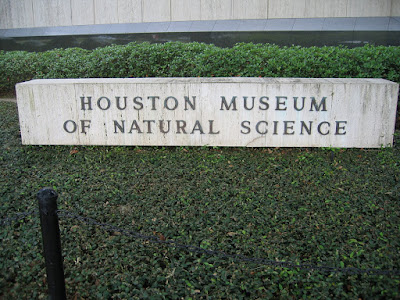
On the way home from airport, "That area is called the 'Downtown'", my friend said pointing to the distant high rise buildings. Not knowing what the word Downtown actually meant I just nodded my head and kept quite. My exposure to the word "Downtown" is limited to the Hollywood movies. The first instance that I can think of is from the the movie Speed, where at the beginning of the movie a hostage situation in "Downtown" high rise is being dealt with. Next instance that I can recall is Spider-Man spinning his web in "Downtown Manhattan". So I turned to the information super highway to help me out, and this is what Wikipedia had to offer. Downtown - is a term primarily used in North America to refer to a city's core, usually in a geographical, commercial, and community sense. So after gaining this information, I decided to go and visit Houston Downtown. After riding on the Information super highway a little more I came to know that Houston Museum of Natural Sciences is just a couple of miles from Downtown.

After gathering all the required route information from Google maps and the local public transport website, me and my friend set out to explore the Museum and Houston downtown. First stop of course the bus stop near our home! We took a bus to Downtown and as per my calculations buses marked Downtown would make a stop at Downtown Transit Centre, it is a big Terminus and also the head office of the local public transport. But all my calculations went haywire as the bus that we took goes to Downtown but doesn’t go to the Transit Centre. We got suspicious when almost all passengers got down and the drivers changed duty. When we enquired about this with the driver, he suggested that we get down and go back a couple of stops and take a train to "Hermann Park", from where we can go to the museum. So we got down and walked back to the train station. The Metro Rail is a local Train service that runs within Houston Downtown. We brought tickets from the automated ticket vending system located at either ends of the platform and were waiting anxiously for the train arrive. To tell the truth I was jumping in joy like a kid gifted with a store full of candies. Since childhood I had a huge fascination for trains, and when I spotted the train at a distant had a big grin on my face!

Six stops later we got down at "Hermann Park/Rice University" station. Two minutes walk from the station and we were at the Houston Museum of Natural Sciences.


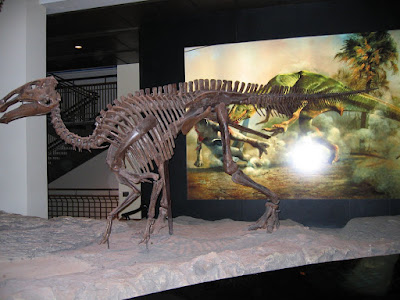
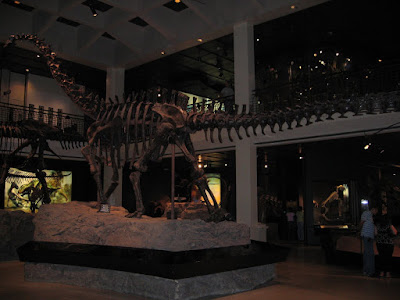
We managed to reach the museum exactly an hour before the closing time. We booked the tickets for the last show at the Planetarium. When we asked about the entry tickets for the Museum, person at the counter suggested that we wait for 15 more minutes as after 4.30 the entry is free. So we headed to the gift shop to murder those 15 minutes. Here were greeted by a giant skeleton structure of a Dinosaur.

We gazed at the things for sale and came out as soon as the clock struck 4.30. At entrance we had 4 mega skeleton structures of our Dinosaur friends greeting us.

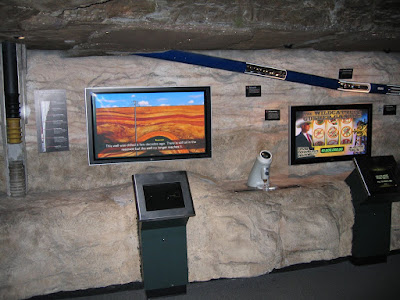
With less than 10 minutes left before the show started, we hurried onto the Energy section, there came face to face with the various Oil Exploration and Production tools and methodologies.

As we ran out of time we headed towards the Planetarium. Planetarium was a mid sized one not too small nor big hall. The show on offer was the "Night of the Titanic". I went to the show with an expectation of seeing something outer space; nevertheless it was a nice show. We came out of the Planetarium and decided that we are going come again soon to cover the rest of the museum, catch another show at the Planetarium and above all watch a show at the IMAX theatre situated inside the museum.

Right at the entrance of the Museum we have a 5000 pounds granite globe suspended on water. Water is pumped from the bottom to keep the massive rock afloat. We can play around with the globe like an balloon and proclaim that you too "Moved the Earth!" and its not just Galileo who did it.

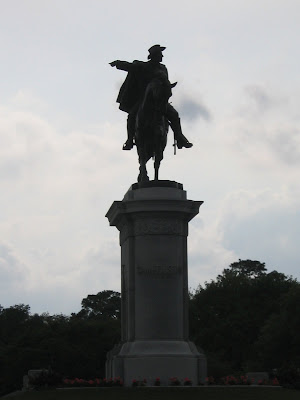
Opposite to the museum is the Hermann Park which has the statue of Sam Houston, A Reflecting pool, Pioneer Memorial and Miniature train. The Pioneer memorial was installed to mark the 100th Anniversary of formation of Houston City on 30th, August 1936.

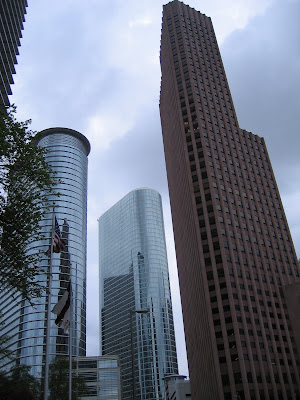
Heading out of Hermann Park, our next stop was checking out Downtown Houston. We got down at the Downtown transit center station and started our march towards the city streets. Being a Sunday evening we got deserted roads.

We walked around a bit taking photographs of the sky scrapers. Later we decided it’s time to head back home as it was close to 8 in the night and we might have problems getting a bus on our return journey. It was an eventful day, with lot more left to cover so we planned to make a second visit to the Museum shortly.

Monday, April 21, 2008

Ice skating

    Ok don’t faint just after reading the title. Trust me I didn’t do any ice skating. The closest that I went to ice skating was going near the arena and watch kids skate like professionals and couple of dads trying to teach their kids a trick or two.


    Morning my friend and I decided to visit the shopping mall close to our home. This was my second attempt at this mall as the last time I reached the mall at closing time. This is one of the largest shopping centers in Houston and it’s called “The Galleria”. It has been built in three stages, Galleria I, II and III. All three have basement parking and 3 floors of unadulterated shopping space. The size of these shopping malls are so enormous that me and my friend kept roaming all day and could manage to cover only the ground floor of all three sections! It will take another couple of trips before we can declare it as “Complete” in our list of places to visit. For window shoppers this is heaven. Here one can find all possible brands for any item you take. For example for men’s clothing I found all the brands that I ever knew plus a lot more I knew ever existed, call it whatever you want it to. Same is the case with perfumes, watches so on and so forth.


    Photography inside the mall is prohibited and the only section where it is allowed is at the Ice Skating arena. Initially we thought of watching it from the top. But the shutterbug won’t let me stand. So I asked a security officer if I am allowed to take pictures. I got a go ahead from him. So I went downstairs to the food court cum Ice skating arena. Entry fee $3, and hiring skating gears $7, proudly announced the display board at the entrance of the arena. I went and double checked with the Ice skating guys if I can cure the shutter bugs bite. The guy at the counter gave a go ahead so I happily entered the arena for free because it was not stepping onto the Ice.


    I was stunned by the ease with which kids were performing on the ice. The energy in the atmosphere is very infectious, it lures you into trying out, and Oh yes forgot to tell coaching classes are also conducted for new comers like me. One visit to the ice skating arena is good enough to refresh you after a long tiring shopping spree.


    With no more energy left in us to explore more we decided to return home and take some rest after our long (window) shopping spree which had lasted for about 3-4 hours.

Monday, April 07, 2008

The American Dream

Leaving the shores of your mother land for the every first time is always a bundle of mixed feelings. Firstly you are happy that you are going to a whole new place and followed by this happiness is the lingering memory of leaving your near and dear ones back. After landing in US the first week went in settling into the new environment, getting used to new culture, new terminology, etc.


My first ever weekend was a very quite one. Went out to see the Wal-Mart! It was bigger than I had ever imagined. My exposure to Wal-Mart was limited to books and documentaries. The only analogy that came to my mind was its big as a stadium. I had read and heard about America being the inventor of the “Car Culture”. I understood what it exactly meant. The parking space was bigger than actual store itself. Since we didn’t have a car, so my friend and I took the help of the Public Transport, yes you read it right, Public Transport! It’s not dependable but we had no other choice. My first brush with the American public transport was not that bad as I was warned about. It was a pleasant one there was no waiting time both ways! We didn’t have a four wheeler so what, Wal-Mart was kind enough to give us the second most used four wheeler in the whole wide world, The Shopping Cart! Armed with the dollar power and the shopping cart both of us entered the arena like brave warriors entering the ancient Roman Colosseum. Our mission was to exit the Wal-Mart without getting lost in the countless number of aisles and the product range at display. You think of anything and you had it. If you are tired shopping, visit the Starbucks coffee outlet right inside Wal-Mart, serving coffee of your desired flavor. After one and half an hour of roaming round the never ending store finally we were at the billing counter waiting for our term. The happiness of roaming around with a four wheeler also to comes to an end as we exited the store.


My next stop after returning from the Wal-Mart was another shopping mall close by at walking distance. The joy was short lived as it was closing time when I entered the mall. I thought I must have been really late, so I checkout my watch and was surprised, it was just 7pm. Having used to seeing Malls open till 11 this came as a shock to me. But I did manage to sneak into an electronics store and have a look at the gadgets on display. Since all the other shops were shutting down I didn’t want waste their time in window shopping so I gracefully made an exit before being kicked out.


Second week went by in no time and second weekend was staring right at us. This weekend friends had planned to rent a car and roam around. So we planned to go for a movie. The movie watching experience was totally different from what I known and expected. The multiplex was a 45 minutes drive. When we started, one thought struck me, “I am finally living the American dream the American way”! Though it was not the actual American way still remotely American. Reaching the movie multiplex, we were greeted by an almost empty parking lot and the whole premises looked deserted. An occasional gust of wind swept across while we walked towards the multiplex. The scene looked similar to that of “Once upon a time in little Mexico” where Antonio Banderas and his buddies carrying weapons assemble for the final assault. Lady at the ticket counter greeted us asking for the number of tickets, I heaved a sigh of relief assured that this place was not deserted after all. It was about the starting time of the movie, so we entered the hall. And another surprise, we were the only once to go inside the hall. Just before the movie started another batch of 3 people entered the hall. The show started with just 8 people sitting. The movie ended at around seven in the evening and we were greeted by a bright sunshine as if it was 4-5 in the evening. After some chitchatting we decided to call it a day and head home, so did the small stint at the American dream come to an end. I look forward for the week ahead…

Thursday, January 17, 2008

A Bike Ride To Mahabalipuram

On a cloudy winter morning in Chennai, Sun was playing hide and seek as I embarked on my first ever Bike Ride to Mahabalipuram. I chose to start a bit early for two prime reasons, firstly to reach before the crowd starts pouring onto this small shore town, and secondly to avoid being caught by the Chennai Traffic police! Nobody wants to get caught by traffic cops, especially if your coming from the rival state Karnataka and rival metro Bangalore! Keeping all these in mind I kick started my ride at around 8.30 in the morning. I had the Bay of Bengal to accompany me all through the 56 kilometres of the journey. After 45 minutes along the Beach Road into the journey I reached East Coast Road or ECR as it is popularly known as.


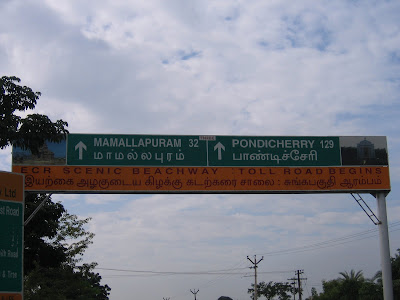
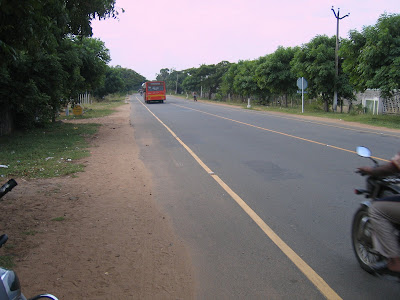
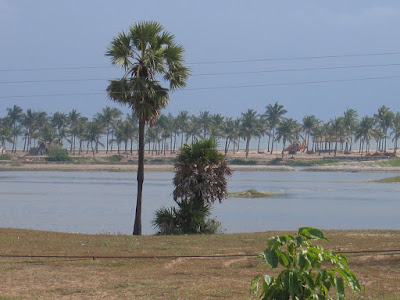
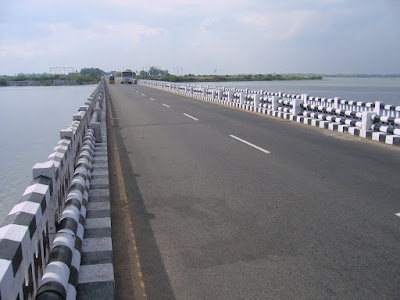
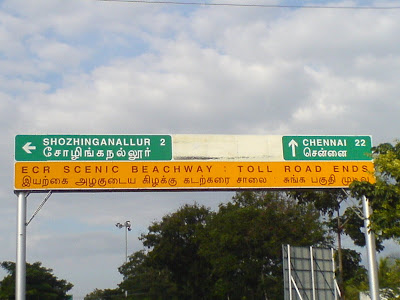
Take my word its not just Scenic as the hoarding proudly announces, but it is Breathtaking and Picturesque. People with the Shutter Bug syndrome, beware of this road, because you will find yourself bitten by the Shutter Bug every other 5 to 10 minutes! ECR is Pay and Use road, but Bikes are exempted. ECR is a bikers paradise, Most part of the road is usually straight and flat. The roads are very well laid out. One can find vehicles zip past you at speeds over 100 Kph, but the legal speed limit is 80 kph.


Bay of Bengal accompanies us all along the journey, but it's not in sight because of the urban jungle. After you cross the ECR Toll Plaza, you can get a glimpse of the sea for the first time, you get an uninhibited view of the Sea for the rest of the journey from this point onwards.


Further along the journey we cross the back waters of the sea. Here Boating enthusiasts can have a boat ride. Since I was travelling alone, I decided to continue with my journey.


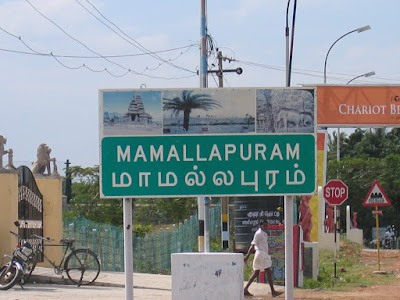
All along the journey Mother Nature keeps treating us with many more picturesque sites, as I warned earlier Shutter Bug keeps biting, take my word its hard to resist such a bite! Finally after one and a half hour ride with ample stopovers I made it to Mamallapuram town! Mahabalipuram famous for its temples is also famous for its Sculptures. Every 5 - 10 metres we can find artisans busy working with their trademark rhythmic sound of chiselling.

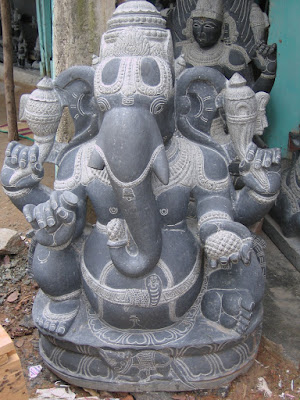
I found this beautiful sculpture of Lord Ganapathi on my way to the first visiting point “The Shore Temple”.


All the tourist spots in Mahabalipuram are part of United Nations' World Heritage Monuments. Archaeological Survey of India (or ASI) has taken up the maintenance of all the sites here, hence we get to see well maintained monuments. We have a one time entry fee of Rs. 10, for the Shore temple and the “Five Rathas” monuments.

The main deity here and other places in Mahabalipuram is Lord Shiva, as the rulers of Pallava dynasty, founders of this town worshipped Lord Shiva.


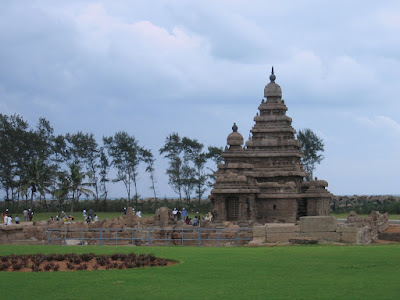
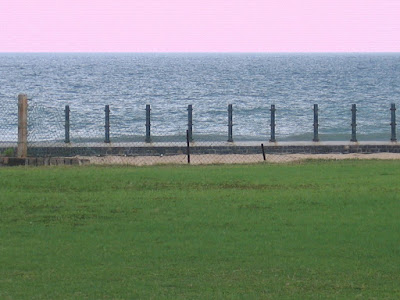
As the name suggests the Shore Temple is located very close to the sea shore. A 5 foot tall boundary wall separates the temple from the deep sea.


The Shore Temple and most of the other monuments here are made of Sand Stone, which is easily disintegrated by the rough sea and salt laden winds. Most of the carvings on the temple are spoilt as a result of this. ASI has taken special measures to arrest the erosion of the sculptures.


Adding to the ambient atmosphere is the pleasant sound of the waves hitting the shore right next to the temple along with a cool breeze. Just the sight of this place makes the whole journey worthwhile. I was lucky enough to get drenched in a fine drizzle of rain. Though the rain did not last more than a few minutes, I enjoyed it nonetheless.

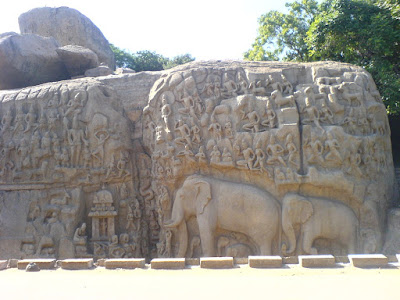
Next stop in my journey was Cave temples. This group of caves is just a 5 minutes walk from the Shore Temple. The cave temples are a collection of 13 cave carvings.


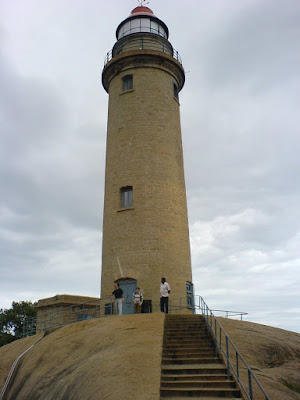
Along with the cave carvings, we also find the Old Lighthouse built by the Pallava kings. No one is allowed to climb to the top of the Lighthouse, but we can get a fair view of this town from the foot of this ancient sea marker.


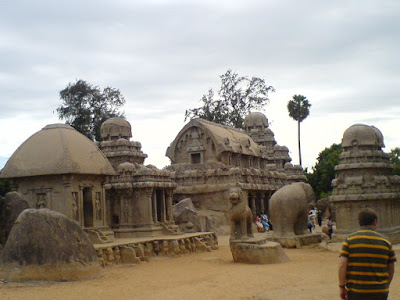
After visiting all the cave temples, I headed to the last stop of my journey the “Five Rathas”. This is another 5 minutes walk from the Cave temples. As the name hints this is a collection of five monuments each named after Draupadi and Pancha Pandavas. Each of these Rathas or Chariots are sculpted using different forms of Indian Architecture.


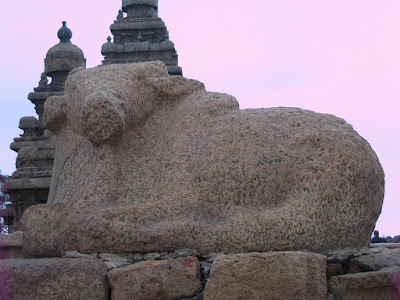
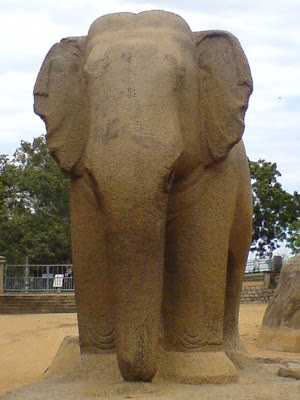
From left to right the chariots are named after Draupadi, Arjuna, Bhima, Dharmaraja and Nakula Sahadeva. Apart from the five major structures, we also find a Bull, a Lion and an Elephant. Due to the Salt laden winds even these sculptures have eroded over a period of time.


By the time I was done with visiting these monuments it was afternoon and I was hungry. Guided by the localities I found a nice eatery. After finishing my lunch, I started my return journey to Chennai with all my batteries charged! 32 kilometres on the ECR and finally a hoarding announced the end of ECR.


At this point I was engulfed by multiple feelings, joy of a memorable journey and sorrow of the end of ECR and its beauty. At the end, no words and pictures can explain it completely, one has to experience it to feel it!

Sunday, September 30, 2007

Jog – A piece of heaven

After a very long time all five of our engineering gang was meeting, and its been almost two and a half years since all of us went together for a trip. A much awaited break for all of us from our routine life. All of us had so much to catch up on each others lives. So finally at around 11 on a cold Friday night we started our journey of 400 kilometers from Bangalore to Jog. The ride was filled with pranks, pulling each others legs, remembering the good old days of our college life. By the time we thought of taking a nap we were more than half way through our journey. Our heated arguments, discussions and fun had probably enraged the car I believe it overheated! So we had to break for about an hour before we started moving. As the saying goes “Alls well that ends well”. This one hour break in our journey ensured that we reached Jog at a perfect time in the morning.


Six in the morning still quite a distance from Jog we were surrounded by the enchanting and picturesque beauty of the Western ghats. Frequent spells of fine spray of rain had made the curvy roads look even more beautiful, this made me jealous of the driver. To add to this we had lush greenery on both sides of the road. Me and my friend started clicking pictures of this timeless beauty.


Finally we reached Sagara, a small place 30 kilometers from Jog. This was the last place before most mobiles went silent due lack of network. After a quick break we started the final segment of our journey. The first place we stopped over was a bridge across the river Sharavati just a few minutes from the waterfall. Everyone jumped out of the car to enjoy the pleasant weather and view. Even at eight in the morning fog was taking its time to clear on this little hill station. Due to the dense fog we couldn't see things 100 metres away let alone the waterfalls.


After clicking few photos we headed to the main waterfall. As soon as the car came to a halt we literally ran to get a glimpse of the waterfall. Much to our dismay we could just hear the roaring of the waterfall and nothing much was visible due to heavy fog and thick cloud cover. But we had a pleasant surprise waiting for us, courtesy Mother Nature. Cloud cover just started to clear bit by bit to showcase the true beauty of Jog. All of us were jumping in joy to see “Raja”, first of the four waterfalls. Then “Rani” showed up quickly, followed by “Rocket”. But to see “Roarer” we had a wait a little more. Finally all four waterfalls were visible and we were totally bowled over by Mother Nature. We were jumping in joy, clapping hands. It took us awhile before we could even talk. I just cant express the euphoria in words. Quickly we decided to pack our breakfast head down towards the bottom of the falls and have it there.


A rocky decent of about 1500 steps. All the cementing of the steps were washed away due to recent heavy rains. As we were making our way downhill, the view and roar of the waterfalls was getting better. Half way through we were completely taken by the shear beauty of Jog. Its just then we started to get the feeling that “This is indeed a piece of Paradise of Earth”. No one can express the beauty of this place in words or in pictures, one has to see this place to enjoy its beauty. The rocky path gave us ample opportunity to enjoy Nature's beauty. The Shutter Bug wont allow you to take more than 10 or 15 steps before you feel like clicking another one!


3/4th the way down we were greeted by the fine spray from the waterfalls. With every step it was increasing. Still further down the fine spray was now like heavy drizzle. More closer to the falls we decided that the cameras and mobile are best inside the bag than outside, as no one had the patience to click pictures and the waterfall spray was really heavy. At the very bottom of our decent we were literally running towards the falls. Mother Nature had lot more surprises than we could ever imagine. All of a sudden the water flow increased and it was accompanied by gust of wind making the waterfall spray look like a heavy rain. We couldn't open our eyes even though we a good 100 metres from the falls. Since we were early to start the decent we had very few people near the falls, so we had all of Jog just for ourself!


We were so completely taken in by the beauty we were out of words and we were just screaming at the top of our voice to express our excitement and complete surrender to Mother Nature's beauty. Our trek downhill and the jumping and howling had drained our energy and we started feeling hungry. The gust of water was so heavy we had to find a rock to hide behind it and open our food packets. Everyone were so hungry and wanted to dance in this artificial rain, we ate in no time! And we headed straight to the waterfall. We could mange to go only to about 50 meters from the bottom of the fall as water was gushing with immense force and the water spray was too heavy. All of us just stood with an outstretched hand to enjoy the artificial rain. No one was ready to leave this place just yet. And Nature didn't leave us empty handed. Just as we were drenching ourselves Sun joined us in the party. Sun was hidden behind the hill had slowly started raising above the horizon. Sun cast its spell slowly by adding a tinge of golden yellow to each of the four water paths one by one . We again thanked Mother Nature and started our accent half heartedly. On our way uphill we took little breaks to rest and enjoy this timeless beauty.

Now that we had seen the bottom of the fall, now we were headed towards “Raja Spot” from where we can see the waterfalls from the top. It was already nearing noon when we reached up. We were completely exhausted by the climb so we decided to rest up a bit. After about an hours rest we started our 5 minutes drive to Raja Spot or now popularly called “Mungaru Male Spot”, as this place was used in shooting of a recent hit Kannada movie by the same name. Bottom of the falls gave us pure pleasure due to rain formed by the falls spray and the this gave us adrenaline rush. The view from the top is just breathtaking. You can see both the calm looking water and its power as it plummets to bottom. The depth of the falls is good enough to set your pulse raising, adding to that we have the roaring of the water. One can see the rocks carved out by the fury of gushing water. I couldn't stop myself from imagining how it would have been when the dams were opened due to the recent heavy rains. That would have been the sight of a lifetime, this was no less though! We have two places from were we can see the waterfalls. First one is a man-made structure from where we get to see the falls and its power. Next is from over the rocks just from where water path “Raja” falls. The view is just amazing. And soon one realizes that the later is the best choice to view as its much more closer to the falls.


From here you can experience the pure power of water, the gushing roar speaks for itself. We took turns to see the waterfall. By the time we reached Raja spot we had a lot of people, so we missed the peace and tranquility what we had at the bottom. After the high adrenaline pumping experience we took some time to enjoy the valley created by the river, its greenery on both sides of the valley. We were caught in two minds to leave this place or not. Ruthless Mind said we are running out of time and Heart said stay back, finally we decided to listen to the mind and now I regret that decision after returning from Jog!

Tuesday, January 09, 2007

MySQL Embedded Server

MySQL Embedded Server Application
MySQL is an Open Source Relational Database Management System. Its fast, reliable, secure RDBMS. To add to this it has a unique feature which allows the whole DBMS to be embedded into the application itself, known as the MySQL Embedded Server.

MySQL Embedded Server
Whole MySQL Database server is bundled into a library called MySQL Embedded Server. This means that a single Dynamic linking Library (a .dll on Windows, a .so on Unix) that acts as a server and the client all by itself. Using this library one can run a Full featured Database server within the client application.

Benifits of using Embedded Server
The developer doesnt have to worry about database
  • Installation
  • Availabilty
  • Connectivity
  • Portability
  • Speed
With embedded Server we dont need MySQL server to be installed on the target machine. Next the developer does not have to think about the availabilty and connectivity to the server. The embedded server resides within the application and uses Interprocess Communication (or pipes) instead of using the network (TCP/IP) in a conventional DBMS.It also the makes the application portable. Portable in the sense data can be moved from one machine to another easily. As the server is running within the client application the speed factor is also taken care of.

Working with the Embedded Server
The embedded server resides within the application, so it has to be started and shutdown by the application. Once the server is initialized (i,e started) we can use the regular MySQL API to perform database transactions as in any Database application. To use the MySQL embedded server we have to just link the application with libmysqld library and just add four(two in most cases, unless you are developing a multithreaded application) extra function calls to the existing MySQL client server application. The extra functions to be called being
mysql_server_init() - to start the server
mysql_thread_init() - to be called in each new thread that accesses MySQL
mysql_thread_end() - to be called before exiting
mysql_server_end() - to stop the server

Starting the Embedded Server
The Embedded server is initialzed using the mysql_server_init() function with the following function signature

int mysql_server_init(int argc, char **argv, char **groups)
Where argc and argv are same as the the main() function's argc and argv. The last argument is used to specify the active groups of the options file.

Options file
MySQL server startup can is customized with a list of command line options. If the number of arguments are large then the command line becomes very big. To avoid this problem we can put all the options in a file and instruct MySQL to read this "Options File" while starting up. The same holds good for the embedded server also. In a single options file we can have multiple groups of configuration. So we will have to "activate" a certain group using the third agrument in the mysl_server_init() function. By default MySQL looks at certain places to locate the options file. On Windows it looks at the following locations:

C:\my.cnf Global options
WINDIR\my.ini Global options
INSTALLDIR\my.ini Global options

WINDIR is where Windows is installed. It’s normally C:\WINDOWS or C:\SYSROOT.
INSTALLDIR is the folder where MySQL is installed.

On UNIX it looks at the following locations:

/etc/my.cnf Global options
DATADIR/my.cnf Server specific options
~/.my.cnf User specific options

We can override this default behaviour with the "--defaults-file" option in the command line argument(in the argv argument to the mysql_server_init function). The best and easy way of using this in an embedded server application is to ship a options file with the installation and use the --defaults-file argument to point to this options file. Once the embedded server has been started we can proceed further using the database with the regular MySQL C/C++ API.

Bare minimum Options File
The bare minimum options file has to contain two groups namely "[server]" and "[client]". Then this can be followed by other custom groups. Under server group we must have atleast the following two enteries:
datadir - The location where data has to stored
language - Path to the language files.
The client group has to have the language entry. In the options file if we are going to have just one set of options then we can skip server and client groups.

Sample Options File

[test_libmysqld_SERVER]
language = C:/Path/to/language/files
datadir = C:/path/to/data

[test_libmysqld_CLIENT]
language = C:/Path/to/language/files

Note that the Windows path needs to contain forward slashes (/) and not the backslash (\). To be on the safer side use absolute path. The above example is for Windows, some holds good for UNIX also, just change the path. Copy the language files from the MySQL installation to workspace.

Stopping the server
We have to stop the server when we are done with using the database. This is done using the mysql_server_end() function call. This function has no arguments and shutsdown the embedded server.

Example
Lets take a look at a simple example for using MySQL Embedded Server in C.

#include
#ifdef WIN32
#define WIN32_LEAN_AND_LEAN
#include
#include
#endif
#include

int main()
{
static char *server_options[] = {"mysql_test", "--defaults-file=my.cnf"};
int num_elements = sizeof(server_options) / sizeof(char *);
static char *server_groups[] = {"libmysqd_server", "libmysqd_client"};

MYSQL *mysql;
MYSQL_RES* result;
MYSQL_ROW row;

/*Initialize the server*/
if(!mysql_server_init(num_elements, server_options, server_groups))
{
printf("Error initializing the server\n");
return 1;
}

/*Initialize the MYSQL structure*/
mysql = mysql_init(NULL);

/*
* Set connection type to MYSQL_OPT_USE_EMBEDDED_CONNECTION
* When we do a real connect, then a embedded server connection is used
* instead of a conventional client server connection.
*/
mysql_options(mysql, MYSQL_OPT_USE_EMBEDDED_CONNECTION, NULL);

/*
* Establish a connection to the database. By default user authentication
* is disabled in a embedded server. If user authentication is required then use
* --with-embedded-privilege-control in the server_options.
*/
if(mysql_real_connect(mysql, NULL, NULL, NULL, "test", 0, NULL, 0) == NULL)
{
printf("Unable to connect to the database\n");
return 1;
}

/* Now that we are connect we can use the C API to proceed further */
mysql_query(mysql, "SELECT UserName FROM USERS");
result = mysql_store_result(mysql);
while((row = mysql_fetch_row(result) != NULL)
{
printf("UserName : %s\n", row[0]);
}

/*We are done with the database. Clean up!*/
mysql_free_result(result);

/*Close the connection*/
mysql_close(mysql);

/*Shutdown the server as well*/
mysql_server_end();
return 0;
}

The above code is taken from MySQL tutorial located at http://dev.mysql.com/tech-resources/articles/embedding-mysql-server.html and modified as required. Next step is to compile the program. Following is a makefile that works on UNIX.

##############################
# Makefile to build the MySQL Embedded #
# server example on UNIX #
##############################
CC=gcc
CFLAGS=`mysql_config --include`
LDFLAGS=`mysql_config --libmysqld-libs`

all: embeddedserver

embeddedserver: embeddedserver.o
$(CC) embeddedserver.o -o embeddedserver $(LDFLAGS)
embeddedserver.o: embeddedserver.c
$(CC) embeddedserver.c -o embeddedserver.o $(CFLAGS)

clean:
rm -f embeddedserver.o embeddedserver

##############################
# Makefile to build the MySQL Embedded #
# server example on Windows #
##############################
CFLAGS=/O2 /G5 /GA /I "C:\MySQL\include" /D "WIN32" /D "_WINDOWS" /D "_CONSOLE" /D "_DEBUG" /D "_MBCS" /FD /EHsc /MT /GS /Fo"Release/" /Fd"Release/vc70.pdb" /W3 /nologo /c /TP
LDFLAGS=/OUT:"Release/article.exe" /INCREMENTAL /NOLOGO /LIBPATH:"c:\MySQL\Embedded\DLL\release" /LIBPATH:"D:\MySQL\lib\opt" /NODEFAULTLIB:"libcmtd.lib" /SUBSYSTEM:CONSOLE /MACHINE:X86 libmysqld.lib mysys.lib kernel32.lib user32.lib

all: "Release/embeddedserver.exe"

Release/embeddedserver.exe : Release/embeddedserver.obj
link Release/embeddedserver.obj $(LDFLAGS)

Release/embeddedserver.obj : embeddedserver.c
cl embeddedserver.c -c $(CFLAGS)

clean:
del Release\embeddedserver.*

Friday, September 29, 2006

Cygwin and X Windows

Cygwin is a port of popular UNIX applications to Windows. Cygwin provides a UNIX like environment in Windows. Cygwin provides necessary UNIX System Call API allowing users to write and port UNIX based tools and applications by recompiling source code on Windows box.

Cygwin/X is a port of X Window System to Windows based on the Cygwin environment. Cygwin bundles Cygwin/X with its distribution. Cygwin/X allows users to run X Window server on there Windows machine which allows them to run graphical applications on a remote UNIX machine and display the GUI on the Windows box.

There are two ways to get the GUI from remote machines to Windows. First method is thought the use of DISPLAY environment variable and second using XDMCP. We shall see both the methods.

First things first, we have to see how to start our X Windows server. We have to start our X Window Server from the Cygwin terminal using the following command.

XWin –multiwindow –ac –clipboard > /dev/null 2> /dev/null &

So what does the above command do? It starts the X Window Server which can support multiple windows at a time. Remove access control on clients to connect to the server. Integrate with the windows Clipboard so that we can copy and paste between Windows and UNIX. Redirect the Standard Output and Error streams to “/dev/null” so that our terminal does not get cluttered with the debug information printed out by the X Window Server. And finally tell the shell to run this command in the background. Now we should have the X Windows icon in the Windows system tray. Set the Environment variable DISPLAY and run any X Window application like xclock, xcalc, etc. DISPLAY will in the format as follows

IPAddress:display_Number.monitor_Number

Display number will be typically being 0 (zero) until otherwise if you are running multiple X Window Servers on your windows box, same is the case of monitor number.

If you Bash use export and setenv for C Shell

$ export DISPLAY=192.23.9.114:0.0

Or

$ setenv DISPLAY 192.23.9.114:0.0

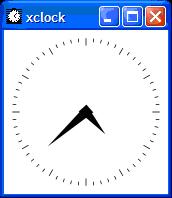
Run xclock as follows and we should get a our graphical clock as in the figure below

$ xclock &


Some thing like this should popup like this. Congrats you have successfully started your X Window Server and ran an X Window application locally. Now the next step is to do the same thing which running the application on a remote machine and getting the display on the Windows machine.
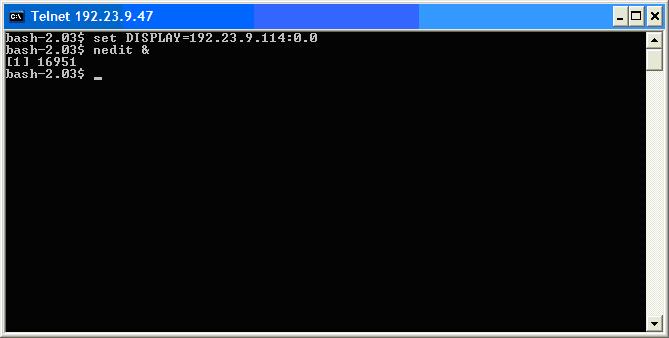
We can connect to a remote UNIX box using telnet, rlogin, etc, etc. Once we have successfully logged in then we can set the DISPLAY environment variable to point to your Windows box IP address. The DISPLAY environment variable is used to the X Window System to direct the GUI to the required machine. The target machine must be running an X Window Server as well. Only then the graphics sent from the remote machine can be captured and displayed on the target machine.
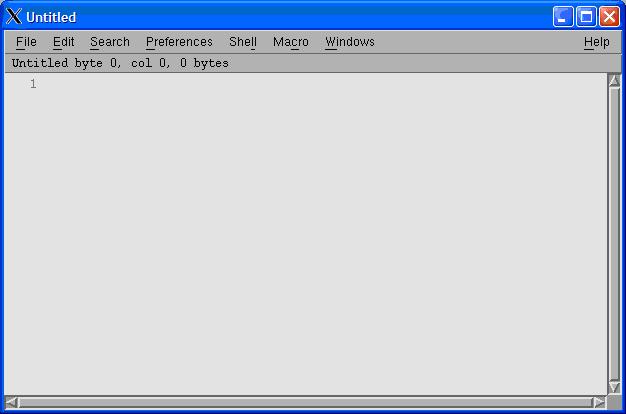
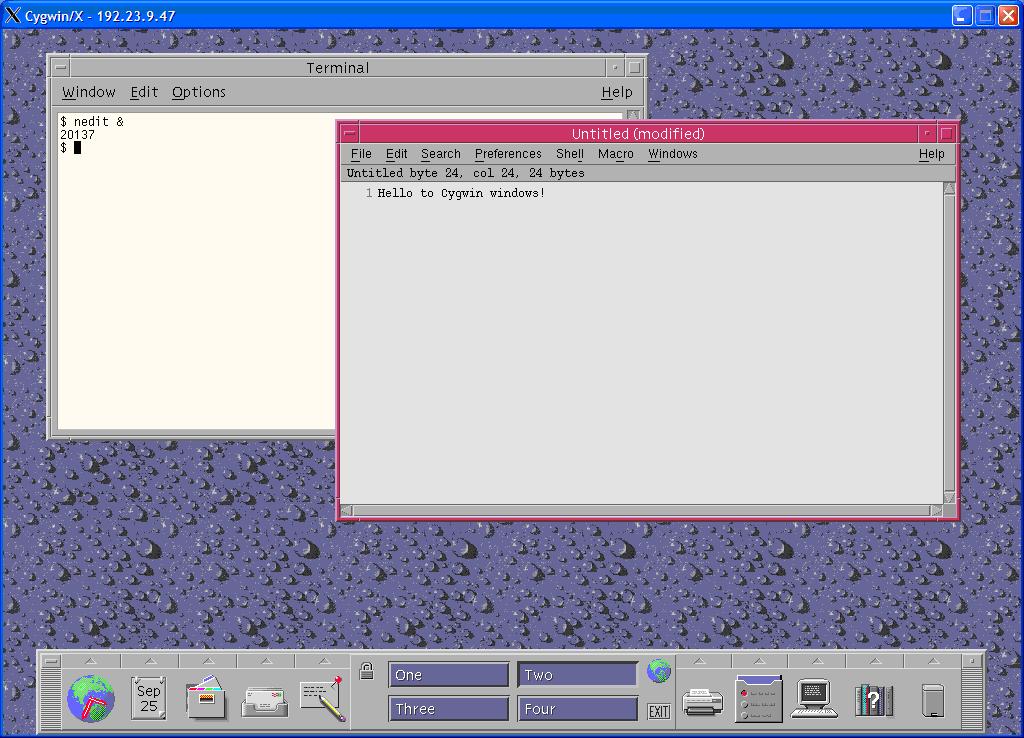
In the above example I telnet to a local UNIX Server and set my DISPLAY to my Windows Box and started a graphical text editor nedit. And I got the editor on my Windows Machine as shown below!


Now that you have seen the first method lets look at the problems that one might face. First and most common mistake is forgetting to set the DISPLAY environment variable or setting DISPLAY wrongly. The next problem might be that the firewall on your machine may block the incoming X Window message. The X Server will be listening to port 6000, check if that port is enabled on your machine.

We shall see what XDMCP can do it for us. First of all you don’t have to take the pain of connecting to a UNIX machine, setting the DISPLAY environment variable, XDMCP will do this for us. Let’s see what XDMCP is all about. XDMCP stands for X Display Manager Control Protocol. Using this protocol we can directly tell the X Window manager on the UNIX machine to forward all the graphics messages to our Windows machine directly.

To use XDMCP to connect to UNIX machine we have to do nothing special just add an extra argument while invoking X Server and remove one argument that’s all. We have to add the –query argument and remove –multiwindow argument and we are done. So our command line to invoke X Server will be

$ XWin –query hostname –clipboard –ac > /dev/null 2> /dev/null &

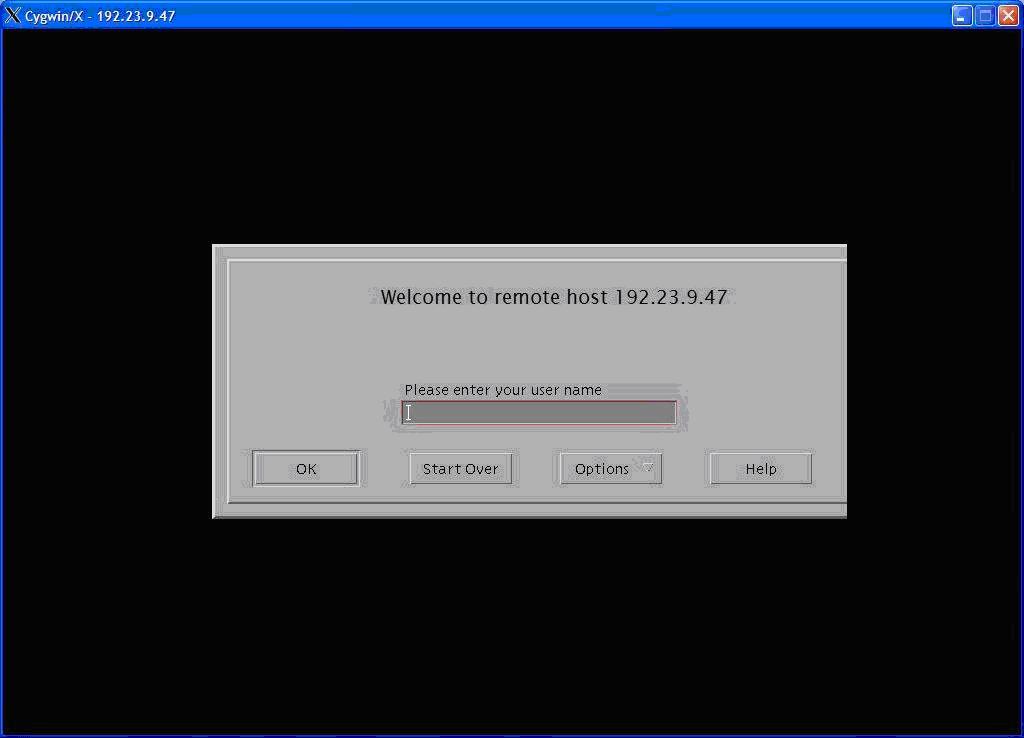
The –query argument tells the X Window Server to query the X Window Manager running on the remote host hostname to forward the X Window graphics to the machine from which you are querying. If the server agrees to this query then we shall get a graphical login screen.


Once you login, you shall be working on the remote machine itself in total Graphical User Interface. The display will be some thing like show in the screenshot below.

The troubles that we might encounter while using XDMCP is the remote machine may not be configured to respond to XDMCP query message. Secondly /etc/X11/xdm/Xaccess file on the remote host controls the access to XDMCP queries. Remote host Firewall might be configured to block query requests.

Links

www.cygwin.com Cygwin Home page

http://probing.csx.cam.ac.uk/about/xdmcp.html
Small intro on XDMCP

http://tldp.org/HOWTO/XDMCP-HOWTO/
Linux How to, both holds good for most UNIX flavours.

Thursday, September 28, 2006

Virtual Network Neighbourhood

Introduction

Can we think of a computing environment without sharing resources over a network? We might use FTP to transfer files from one machine to another machine or use Grid Computing to share processor time. Then our options of sharing resources with different platforms are very limited. The reasons for this big list of incompatibilities are different platforms use different architectures (x86, SPARC), protocols (NFS, CIFS), different byte orders (Little endian, Big endian) to list a few major restrictions.

The next question that we need to think is how to overcome this problem. Getting all the systems to use single processor architecture is not a viable option. The same with the byte order, but for the byte order we have a universally accepted Network Byte Order. Lastly the biggest hurdle, the protocol used to share the resource. One option is to use a common protocol among all environments. Once again this is not a good solution. The reasons being
1) Each type of resource needs to be shared differently
2) The semantics of one protocol doesn’t suit other environments.

Like a language translator can help us when we go a new country without knowing the native language, in the world of computer networks a “Protocol Translator” can rescue us from this situation. The Protocol translation is not a new concept it already exists in a different form at the lower levels of the protocol stack in the form of Gateways. If we could implement similar thing at the top of the protocol stack (Application Layer in OSI reference model) we can seamlessly share any kind of resource with any kind of computing environment.

Requirements of the Protocol Translator

Now that we have seen that a protocol translator can help us get out of this situation, we have to chalk out the requirements of this protocol translator.

i) Thin
ii) Handle different authentication protocols
iii) Serve multiple clients at the same time
iv) Stable

Requirement 1: Thin
The first point that we have to take into account is that to serve a single request from the client we will have to perform translation at least twice. Once from the incoming request to the target protocol and back again. But if the source protocol supports complex operations in a single request then we might have to perform multiple transactions with the destination protocol to achieve the required result. Hence we will have to keep the protocol translator as “Thin” as possible. If the protocol translator becomes “Thicker” then the response time takes a beating.

Requirement 2: Handle Different Authentication protocols
Every resource sharing protocol has its own system of authentication. Protocol translator should handle all these different Authentication protocols. Even after supporting all the different authentication systems we still have a problem. The authentication information given by the source protocol may not be suitable to use at the destination and vice versa. A good example is, CIFS (windows network neighbourhood) uses Challenge response authentication, but NFS (UNIX file sharing system) uses password authentication. In such a situation we have two viable solutions. First and the easiest way ignore the authentication which is not a good idea. The second is authenticating separately. That is we use the challenge response and authenticate the CIFS client and then when resource access is made we authenticate the translator with a predefined username and password with the NFS server. This is our best bet to ensure security.

Requirement 3: Serve multiple clients at the same time
The protocol translator must be able to serve multiple clients with different source and destination protocols at a given point. This way we can ensure transparency. For this requirement we can have a “Multithreaded” solution. A multithreaded solution will be light when compared to a “Multi process” solution. The reason being creating a process is costly (in terms of system resource) when compared to a thread.

Requirement 4: Stable
When we handle multiple protocols simultaneously we will have to be careful to mange the system resources used by the protocol translator. If the resources are not managed properly the translator might crash in the worst case or the response time will take a beating.